
For people who have tried every alarm
The alarm only sunlight stops.
Sunbrink is an iPhone alarm with no snooze button. It keeps ringing until your front camera sees real morning daylight. Not a puzzle. Not a shake. You, at a window, awake.
For eligible new subscribers. Available on iPhone.
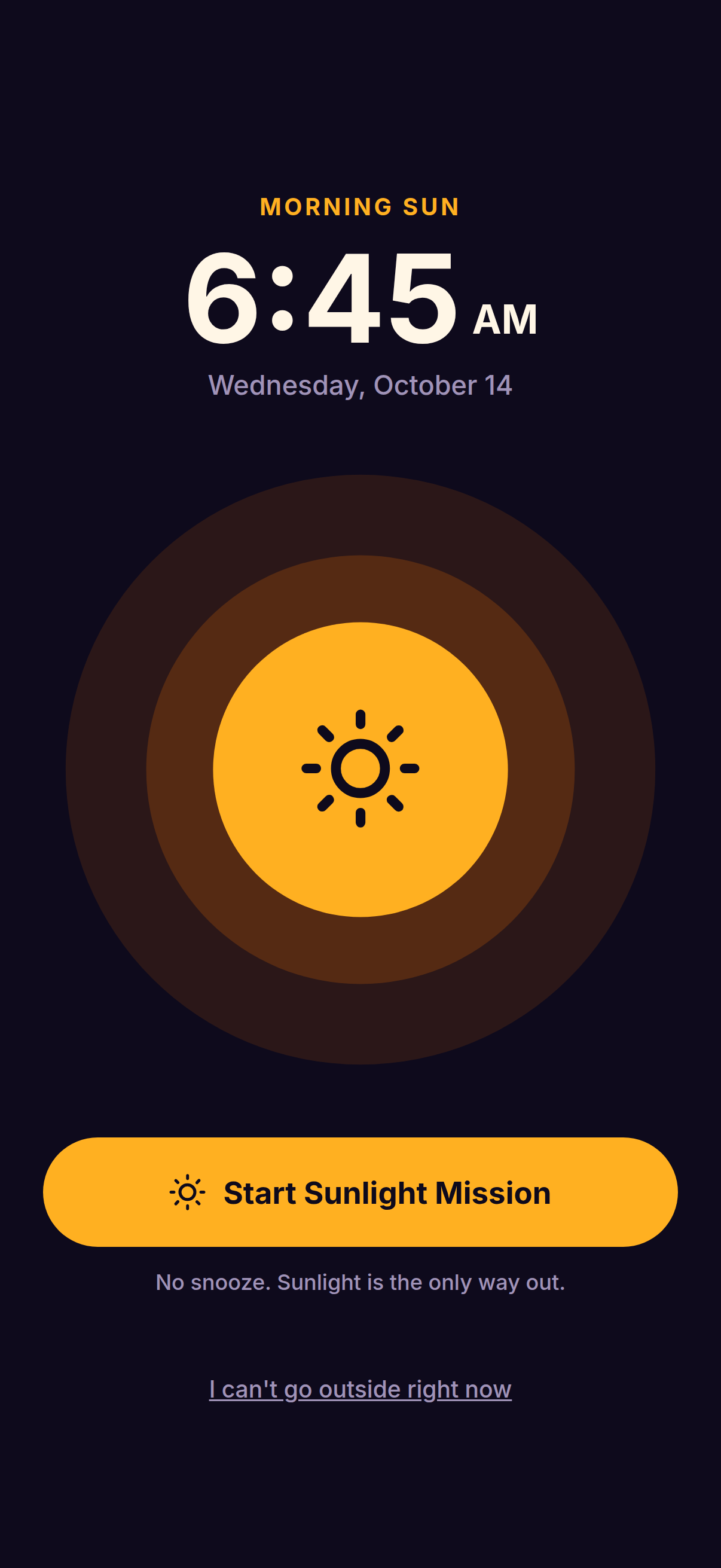
6:45 AM
It does not negotiate. That is the whole point.
- No snooze.There is no button for nine more minutes. There never will be.
- No tricks.Math problems and barcodes can be solved half-asleep in bed. Daylight cannot be faked from under a duvet.
- No bargaining.It stops when you are up, at the light, with your eyes open. Not before.
How a Sunbrink morning goes
Set it, and mean it.
Pick a time, the days it repeats, and sunlight as the wake mission. Sunbrink shows exactly when it will ring. There is no snooze to fall back on, so tomorrow's alarm is a promise, not a suggestion.
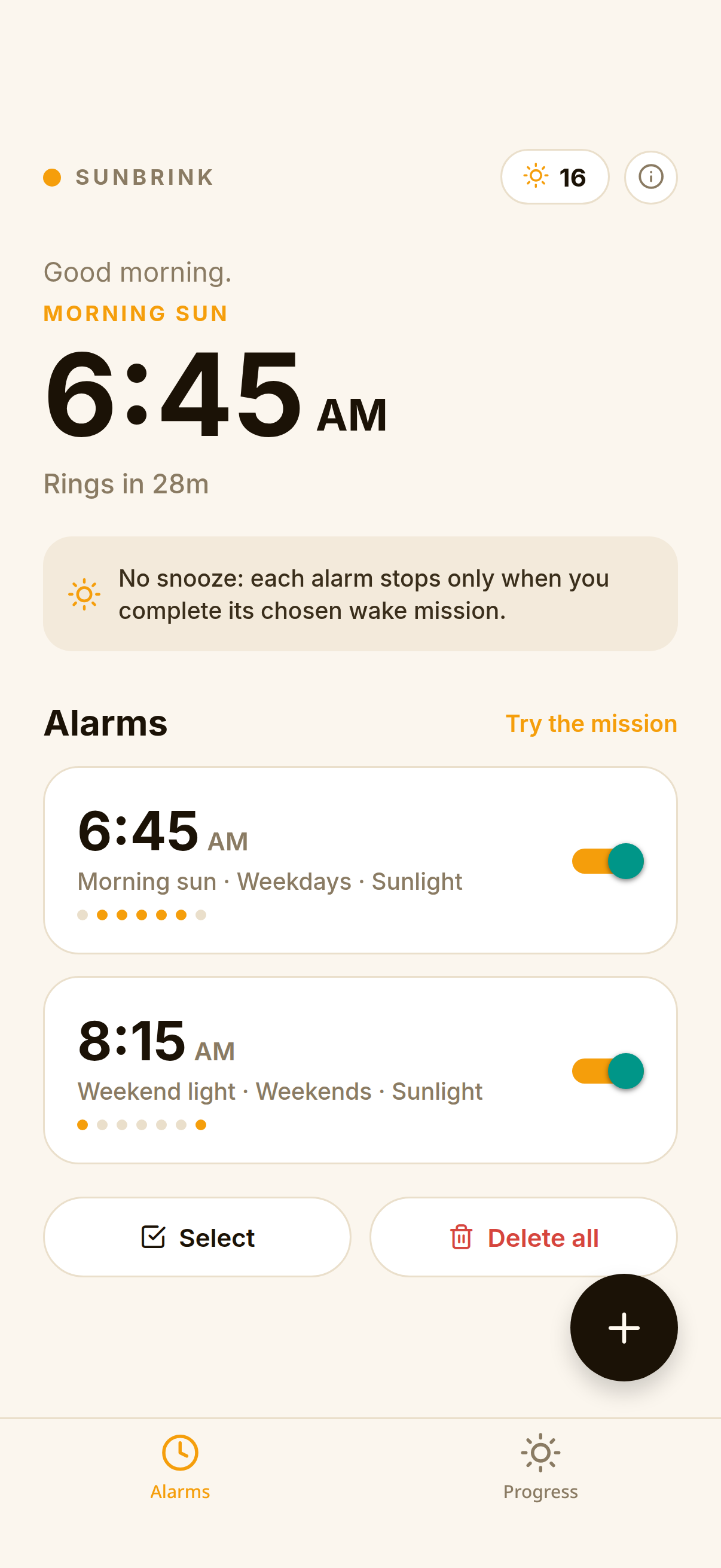
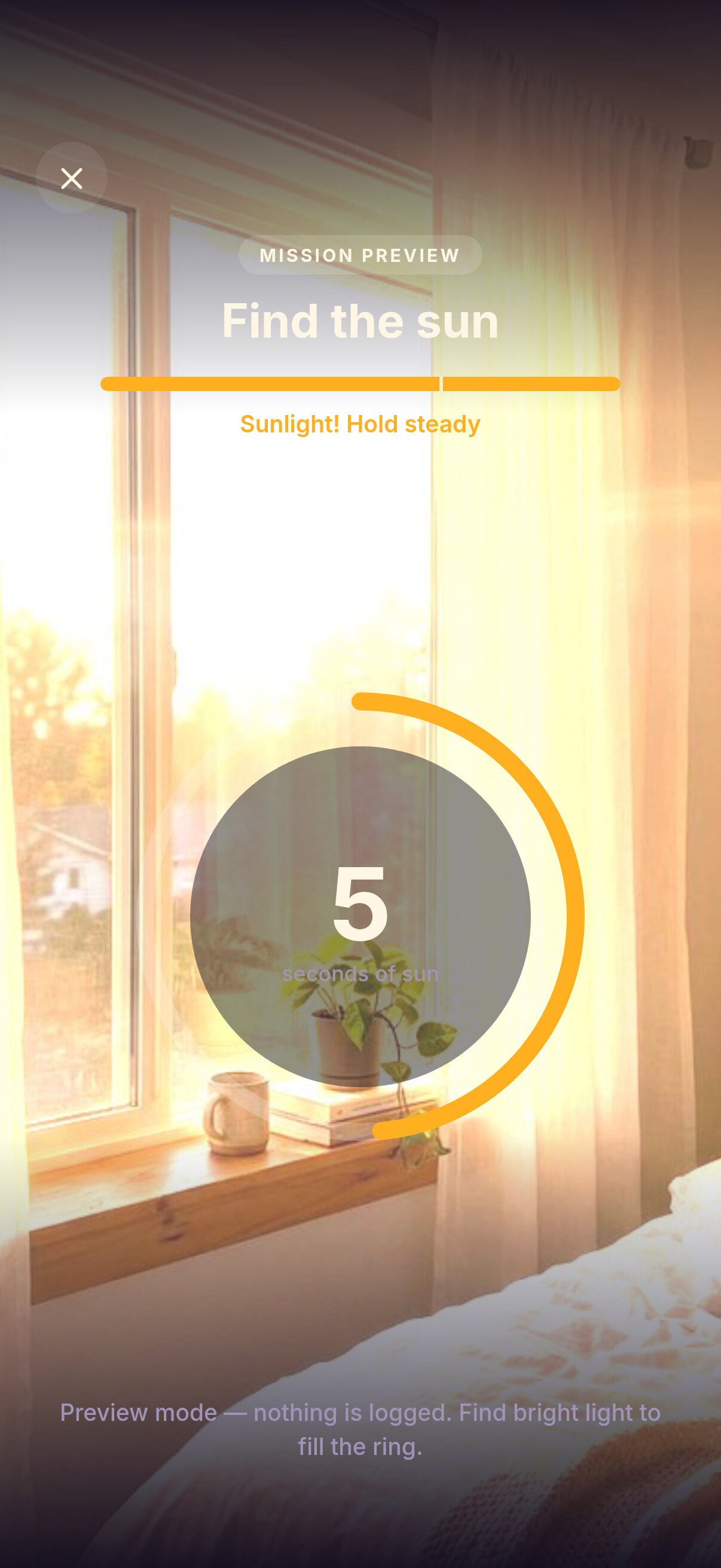
Walk to the window. Hold steady.
Point the front camera at real daylight. The ring fills as Sunbrink measures the brightness around you. A bright window often works; cloudy daylight can still be enough. Never look directly at the sun.
6:48 AM
And then, quietly, it is morning.
The alarm stops. You are standing in daylight, already up, and the day is yours instead of the snooze button's. That feeling is what Sunbrink is for.
03 · The streak
Every real morning counts.
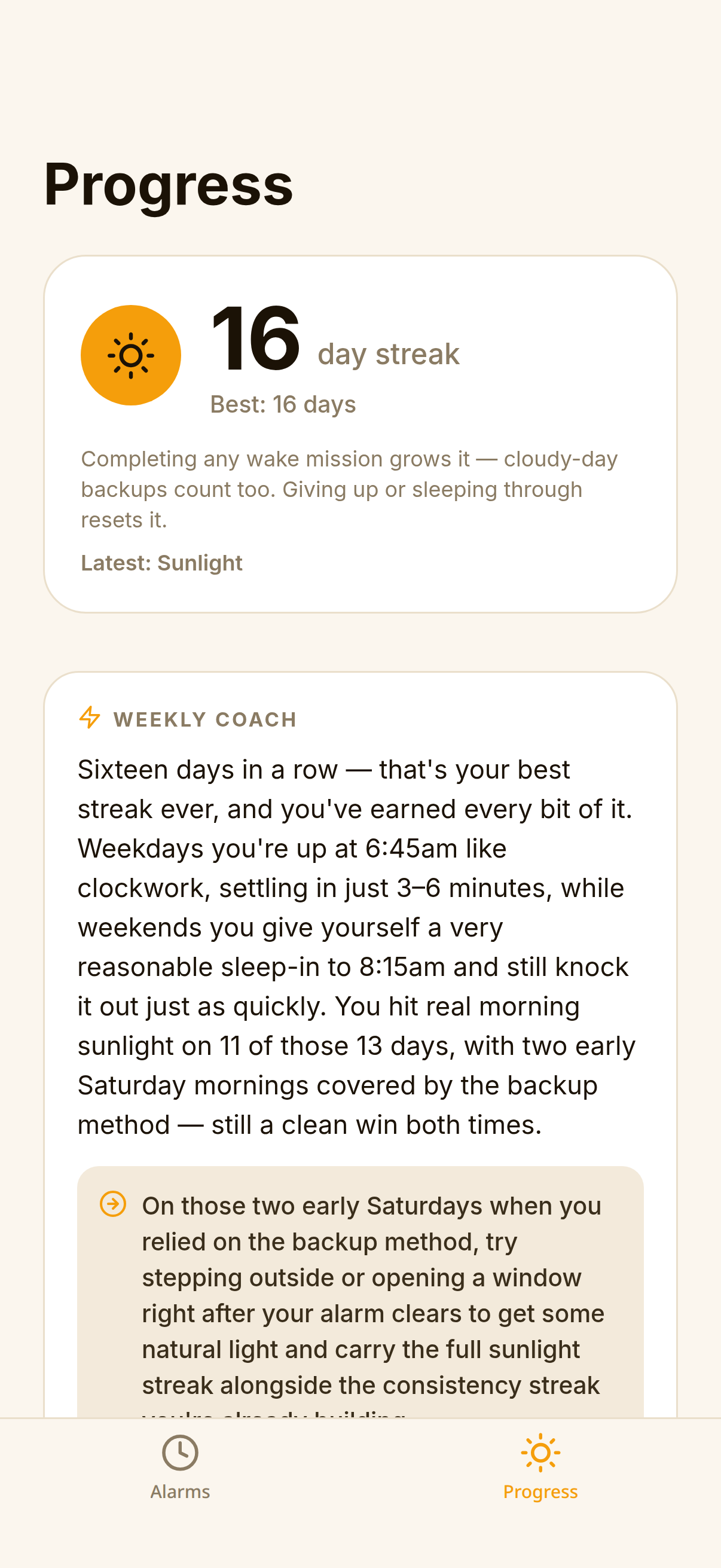
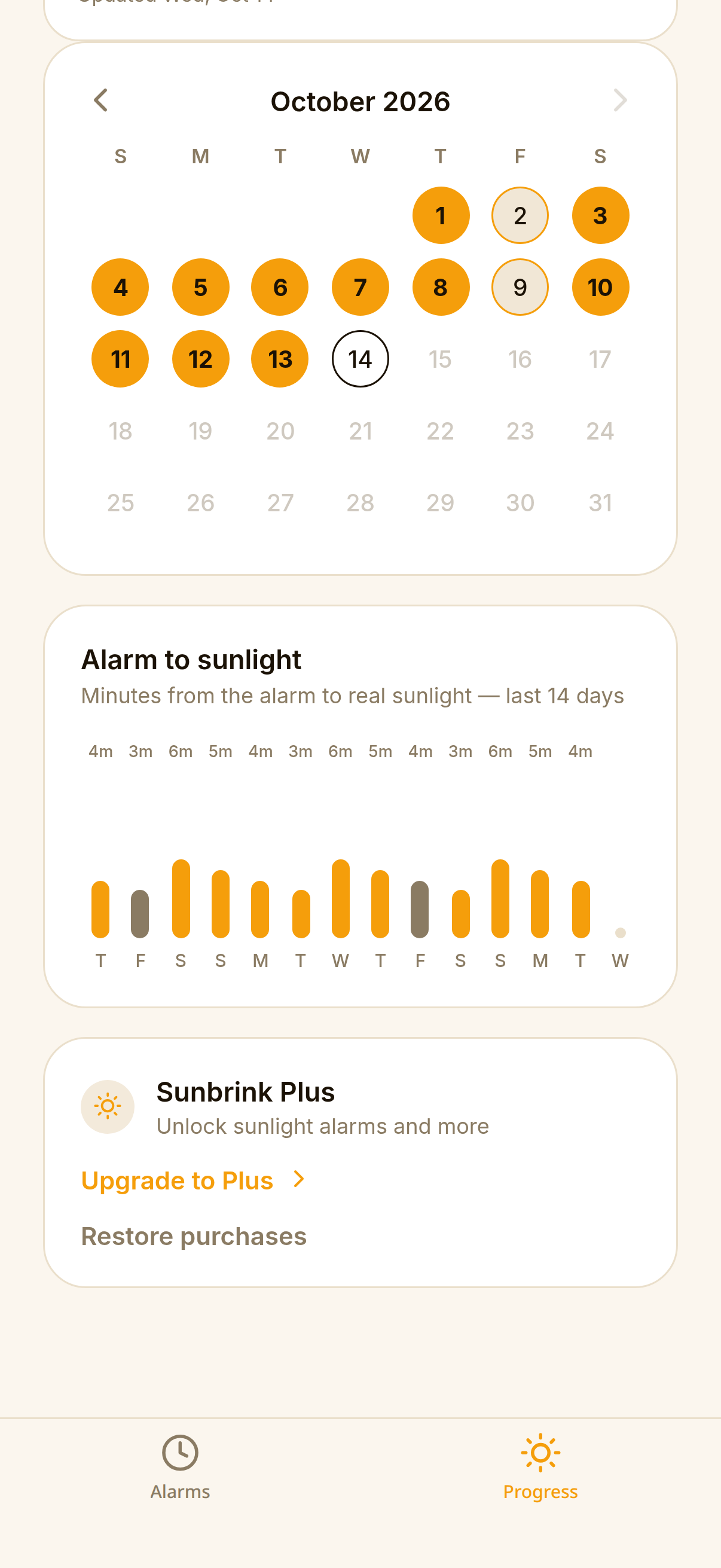
Each completed wake mission grows your streak. A calendar shows the days you made it, a chart shows how long it took to get from alarm to sunlight, and a weekly coach note reads the pattern back to you, plainly.
- Cloudy-day backups still count toward your streak.
- Giving up or sleeping through resets it. Honest by design.
Sunbrink Plus
What it takes to make the sun your off switch.
Try Sunbrink Plus free for 7 days with either the monthly or yearly plan. Available to eligible new subscribers. After the trial, your chosen plan renews automatically at the price shown in the app. Cancel in App Store settings at least 24 hours before the trial ends to avoid being charged.
- Sunlight alarmsDaylight is the only way to turn them off.
- Voice setupSet tomorrow's alarm by saying it.
- Weekly coachA short, personal read on your streak and wake-up times.
- Rings through silent modeBuilt for people who sleep through everything else.
The camera only looks for light.
The sunlight check processes camera images on your iPhone. They are never saved and never uploaded. And if you truly cannot complete the mission, an emergency hold-to-dismiss ends the alarm. It costs you the streak, not your safety.
Before your first morning
Good questions. Clear answers.
What to know before your first Sunbrink morning.
What if it’s cloudy or the sun isn’t out?
You don’t need to see the sun. Sunbrink measures the brightness around you, and cloudy daylight can still be bright enough. On especially dim mornings, a dark-morning backup becomes available after two minutes of camera attempts without success. It uses a lower light requirement, held steady for 45 seconds near the brightest window. Some daylight is still needed—it is not a complete-darkness mode.
What if I wake up before sunrise?
Sunbrink works best when there’s daylight around your wake-up time. If it’s still completely dark, sunlight dismissal is not a reliable fit for that alarm. The cloudy-morning backup still needs light; there isn’t currently a dedicated before-sunrise mode. If you regularly wake before dawn, use a conventional alarm for that wake-up time.
Do I have to go outside?
You need enough natural light for the camera check. A bright window may work, depending on the daylight and your surroundings. If it’s too dim, try a brighter window or step outside only when it’s safe. Never look directly at the sun.
What if I can’t complete the sunlight check?
There is an emergency hold-to-dismiss option so you can stop the alarm when you can’t complete the mission. It ends the alarm but breaks your sunlight streak. Use it when needed—your safety comes first.
Does Sunbrink save or upload camera images?
No. The sunlight check processes camera images on your device. Those images are not saved or uploaded.
Do I need a subscription?
Creating sunlight alarms requires Sunbrink Plus. Both the monthly and yearly plans offer a 7-day free trial for eligible new subscribers. After the trial, your chosen plan renews automatically at the price shown before purchase. Cancel in App Store settings at least 24 hours before the trial ends to avoid being charged. You can also try the sunlight mission using the free test alarm before subscribing.
Where can I get help?
Visit our support page for help with alarms, subscriptions, or anything else about Sunbrink.
Tomorrow, 6:45 AM
Set it tonight. Meet the light tomorrow.
Try Sunbrink Plus free for 7 days. Choose monthly or yearly in the app.
For eligible new subscribers. Auto-renews at the price shown in the app unless canceled.
Download on theApp Store